
SuperDuper! 4
The backup app Mac users have sworn by for over 22 years—brand new from tip to tail. Easier to use, 2x+ faster copies, incredible capabilities, and much more flexible. It's everything you've ever wished SuperDuper could do, and even better than you've heard.
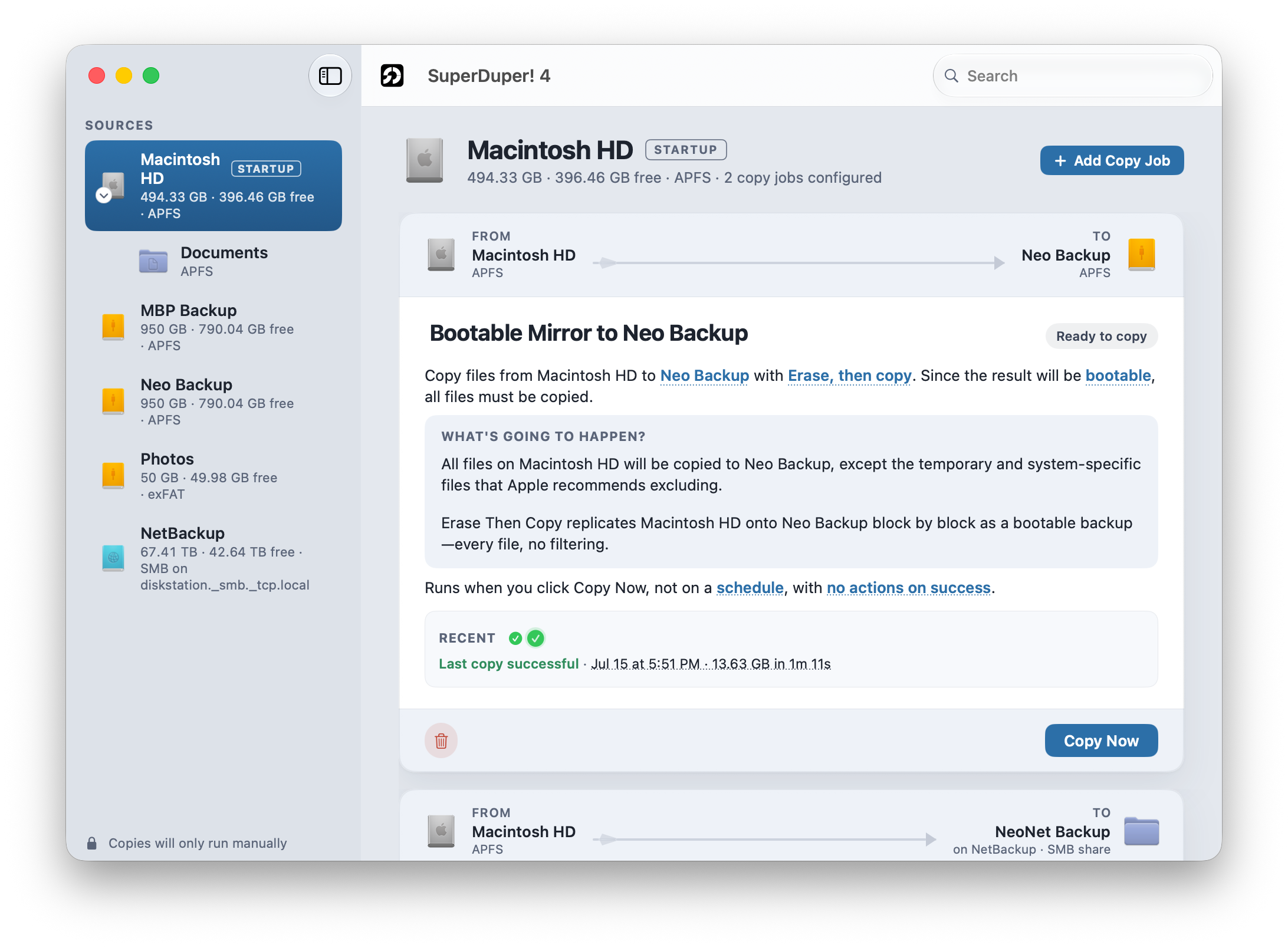
If you thought Smart Update was fast before, it's been turbocharged in version 4. Now, subsequent backups can take less than a minute!
We'll set things up for boot success, Apple willing.
SSD drives (not thumb drives or cards) work best. Your backup does not have to be bootable to be restorable.
Schedule copies to happen when it's convenient for you, as many as you'd like. They'll run whether SuperDuper is open or not...even if you're not logged in!
Read it. Click it. Choose it. Done.
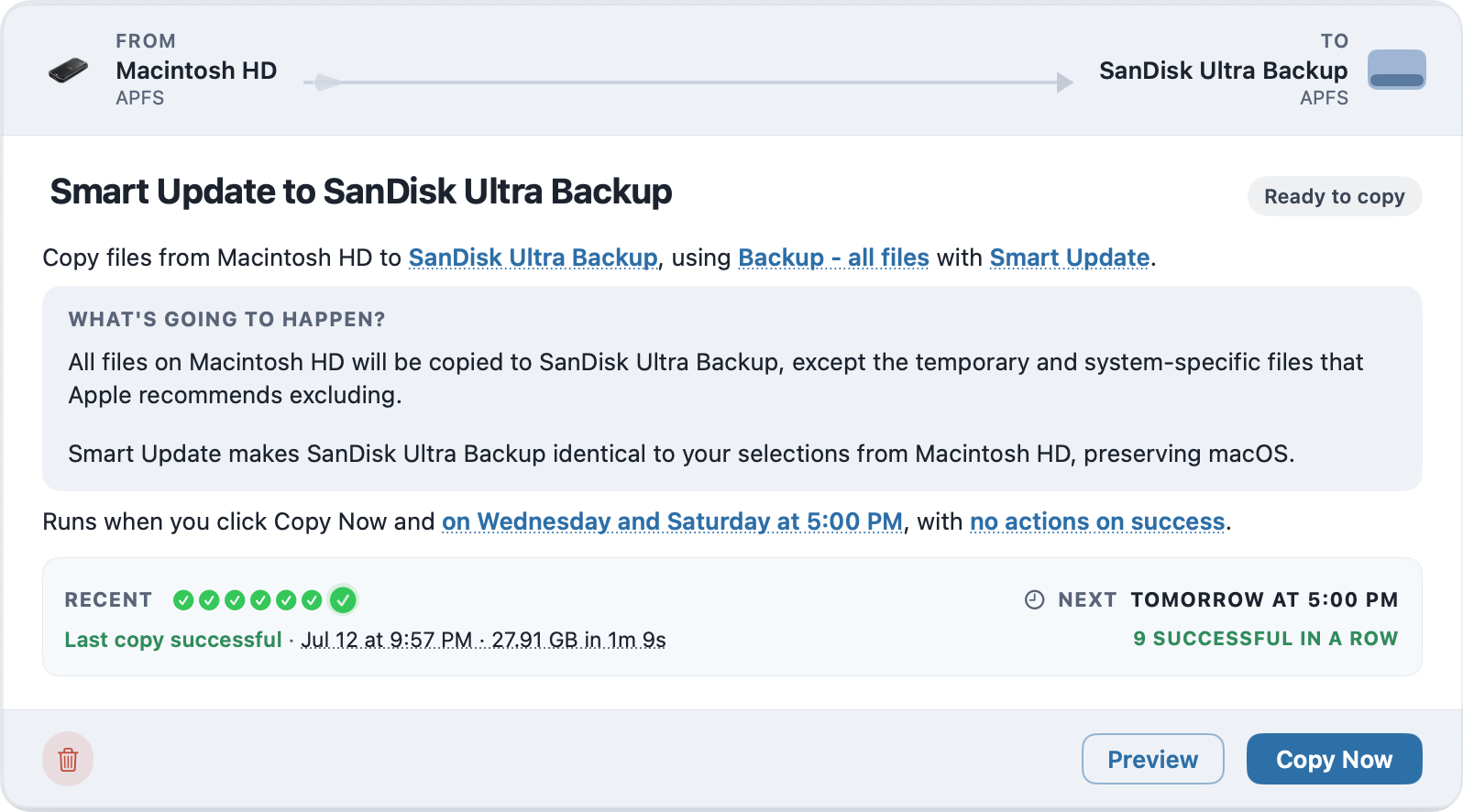
Every copy starts with a plain-English sentence. Underlined words are the settings—change one and the sentence updates to reflect your selection.
Everything you loved, but better.
It's the same SuperDuper you know, rebuilt on the latest Apple technologies—with a modern, blazingly fast copy engine shaped by more than 20 years of experience.
Configure copies by clicking words in a sentence—all in one place. Drag and drop folders for the source or destination!
Your copy status updates in real time, even as you do other things. Run several copies at once—the sky's the limit!
Smart Update is faster than ever, and when it's Turbocharged...watch out! Your backup may finish before you're done clicking the Copy Now button!
Copies run and report whether the application is open or not. A convenient menu extra shows how many are in progress, and clicking it shows a summary.
An on-device Apple Intelligence summary tells you what happened—and the new What happened? section tells you what to do if it failed.
SuperDuper 4 will tell you how much time it will take for your copy to finish and when all current copies will be done.
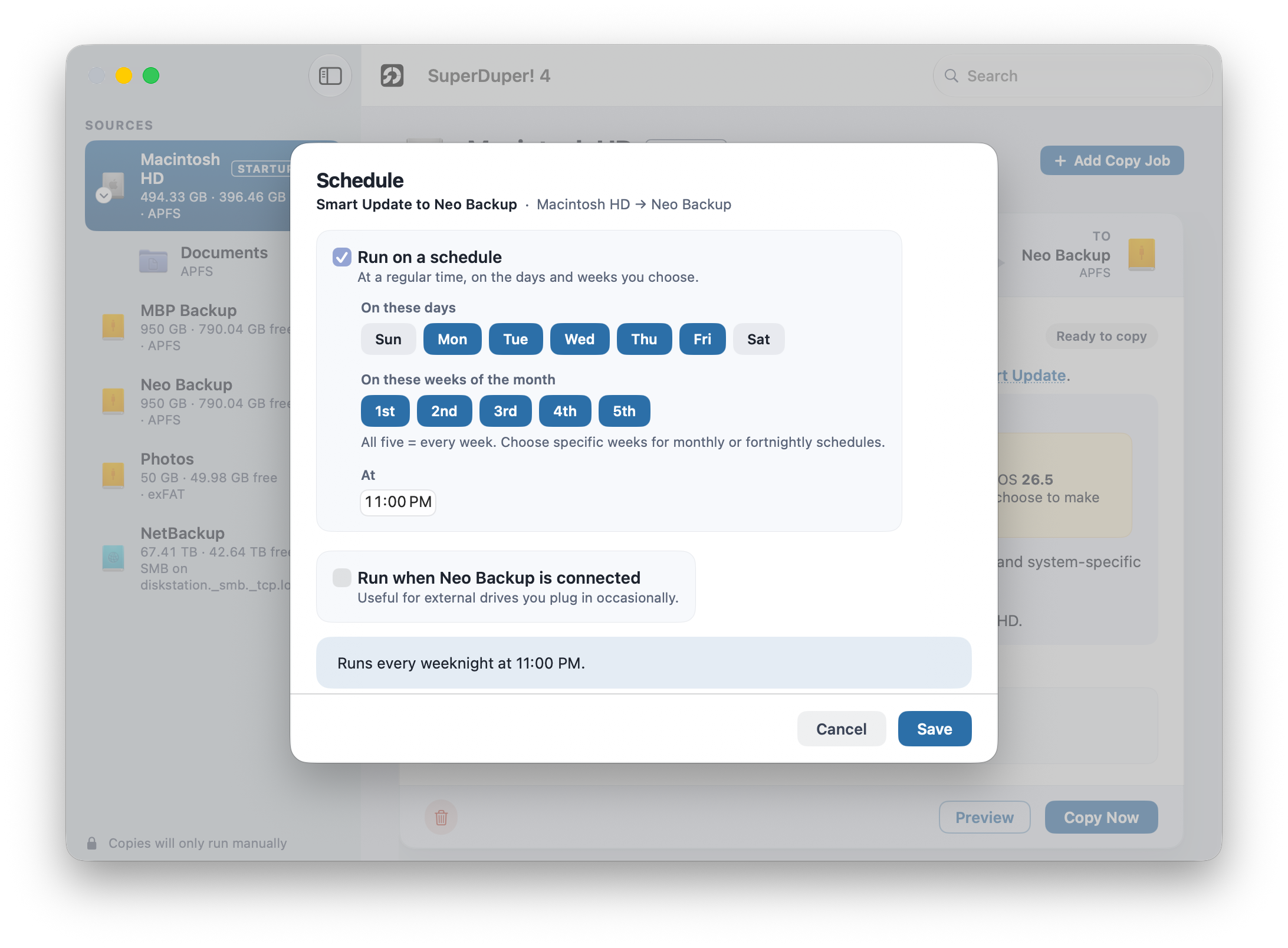
Pick the drives, pick the time, and forget about it. SuperDuper wakes the Mac if it needs to.
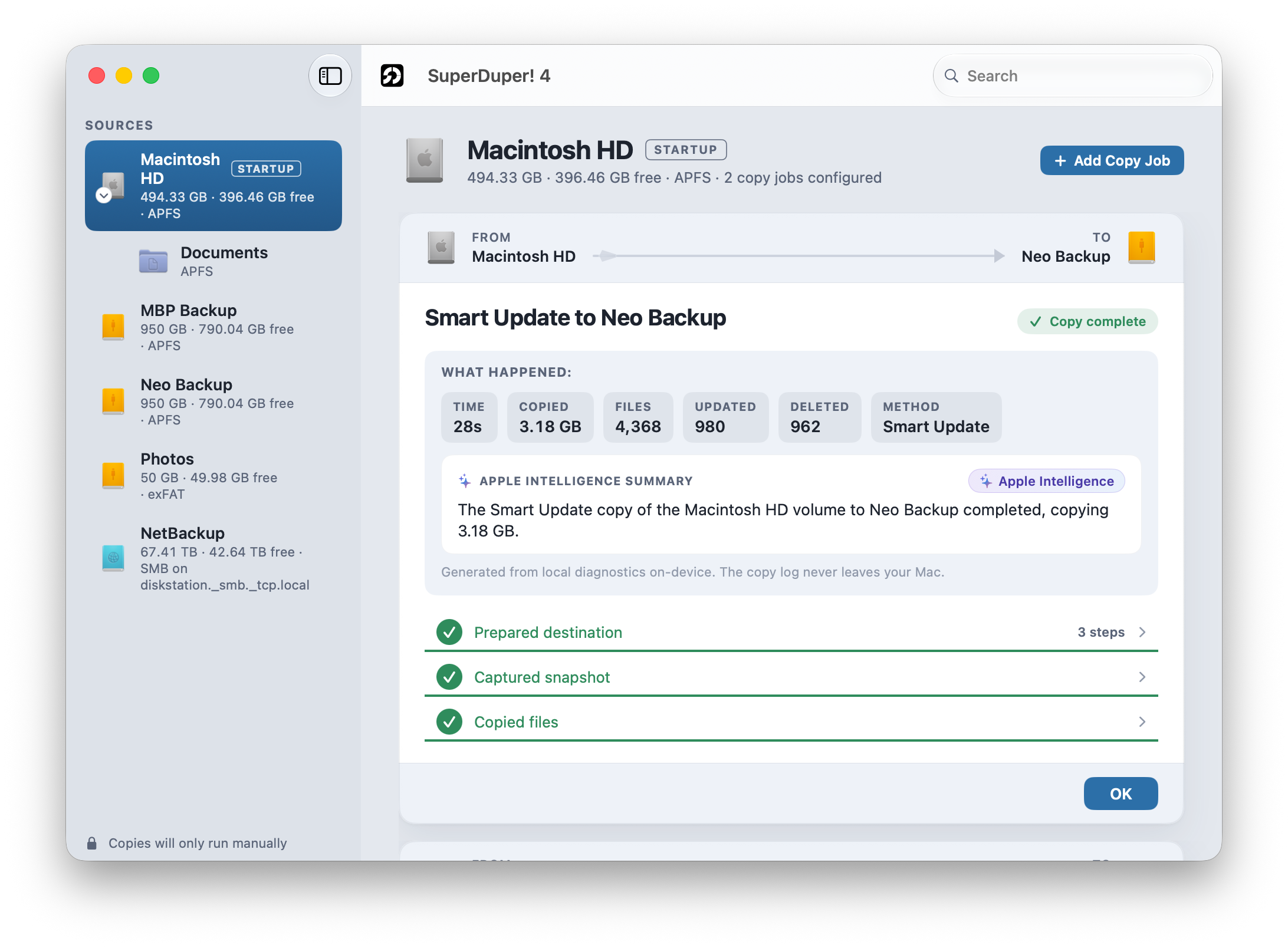
When a copy is done, the results are summarized so it's easy to see what was copied—and how fast it went!
What's new
Live from the Sparkle appcastSuperDuper! 4.0.10 (October 8, 2026)
A security fix. This update fixes one problem, and I’d recommend installing it.
Security
Snapshots are now mounted at a private location while they’re being copied. When SuperDuper copies an APFS volume, it takes a snapshot and copies from that, so the backup reflects a single moment in time. While the copy ran, that snapshot was mounted in a location other software could reach.
macOS’s privacy protections (TCC) for things like Mail, Messages, and your Desktop and Documents folders are tied to where those files normally live. Because the snapshot presented the same files at a different location, software running under your account could read them there without having been granted Full Disk Access, for as long as the copy was running.
Files belonging to other users on the Mac were not exposed, and normal file ownership rules still applied, even for the current user.
To correct this problem, SuperDuper now mounts the snapshot inside a privileged folder only the root user can access. If that folder can’t be made private, SuperDuper copies from the live volume instead, as it already does when a snapshot can’t be taken.
A CVE identifier has been requested for this issue, but has not yet been assigned. These notes will be updated when it is.
Thanks to the user who reported it.
Requirements
The same as before: macOS 14 or later, including macOS 27 (Golden Gate), on Apple silicon or Intel.
Apple silicon or Intel
An external drive for the copy (SSD recommended for bootability)
Full Disk Access (guided setup)
The SuperDuper 4 FAQ covers bootability, APFS, snapshots, scheduling, and the move from Copy Scripts to Copy Rules.
Read the SuperDuper 4 FAQ → Open the User's Guide →Back up like a hero tonight.
Free to try for full, erase backups. Buy when you're ready to unlock real speed and power.